Version Everything
Change Control
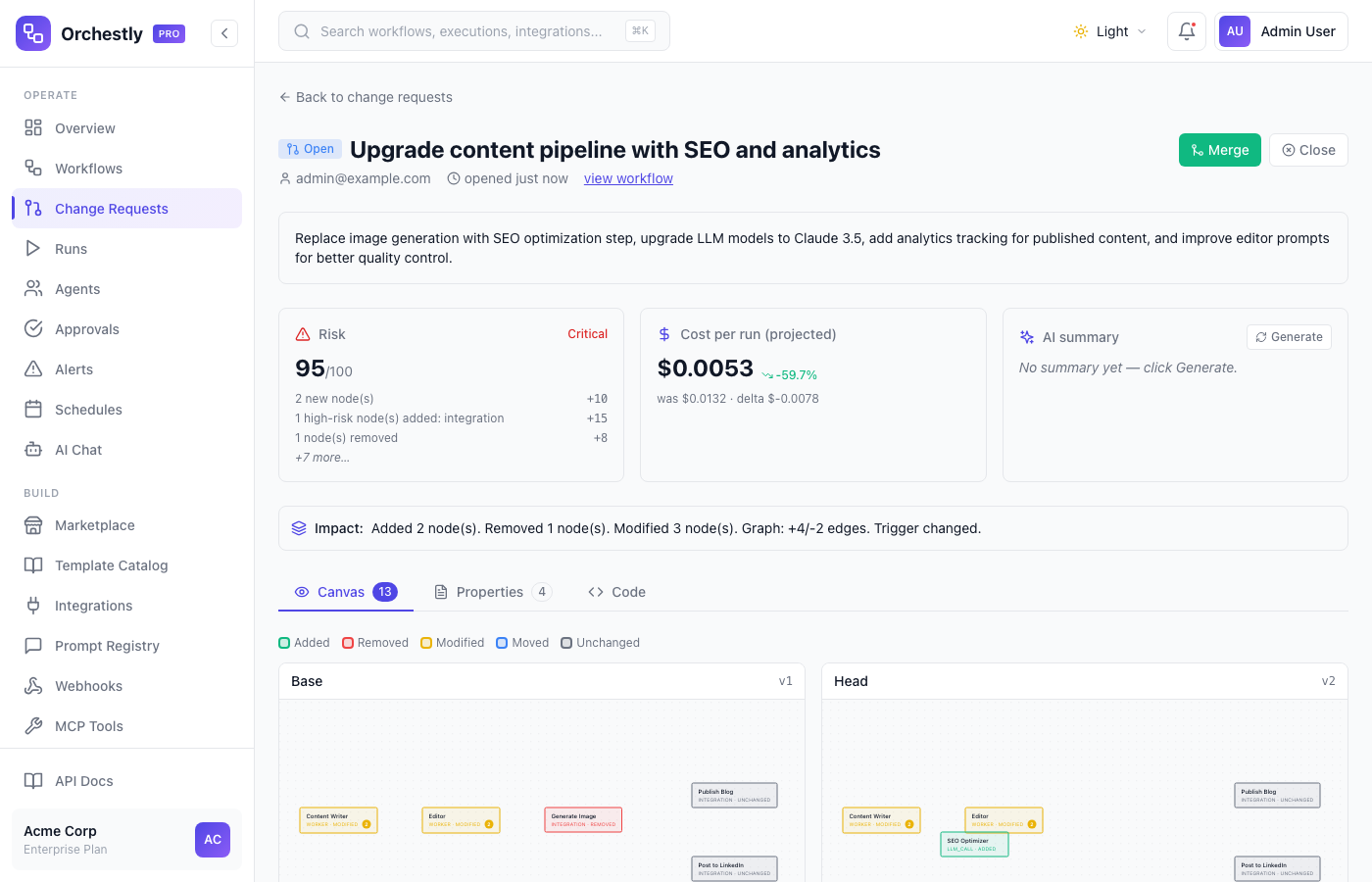
Git-like versioning for your AI workflows. See exactly what changed, who approved it, and roll back to any previous version instantly. Visual diffs, property-level diffs, and code-level diffs - all in one place.
Key Capabilities
Git-Like Versioning
Every workflow change creates a new version with a full history. Compare any two versions side-by-side with a rich diff view showing exactly what changed.
Instant Rollback
Something went wrong? Roll back to any previous version with one click. Rollbacks are also versioned so you never lose history.
Approval Gates
Require team lead or admin approval before deploying workflow changes to production. Configurable approval chains with Slack and email notifications.
Audit Trail
Complete audit log of every change, approval, deployment, and rollback. Know who changed what and when for compliance and debugging.
Risk & Cost Analysis
Every change request gets an automated risk score and projected cost impact. See how model swaps, new nodes, or config changes affect your budget before merging.
AI-Generated Summaries
Generate plain-English summaries of complex workflow changes with one click. Reviewers can quickly understand the scope and impact without reading every diff line.
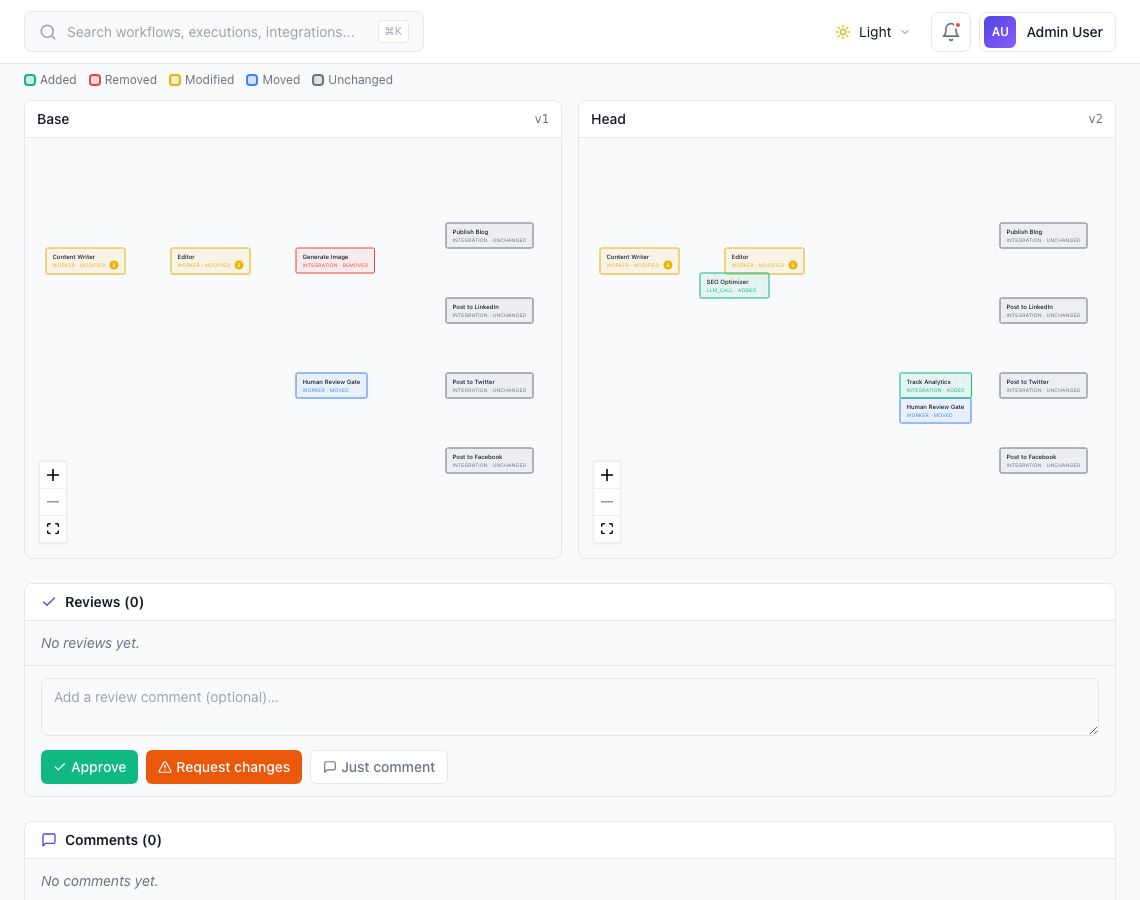
Visual canvas diff - see exactly what changed
Compare workflow versions side-by-side on the canvas. Added nodes are highlighted in green, removed in red, modified in yellow, and moved in blue. Click any node to drill into its field-level changes. Both base and head versions are rendered with full React Flow canvases.
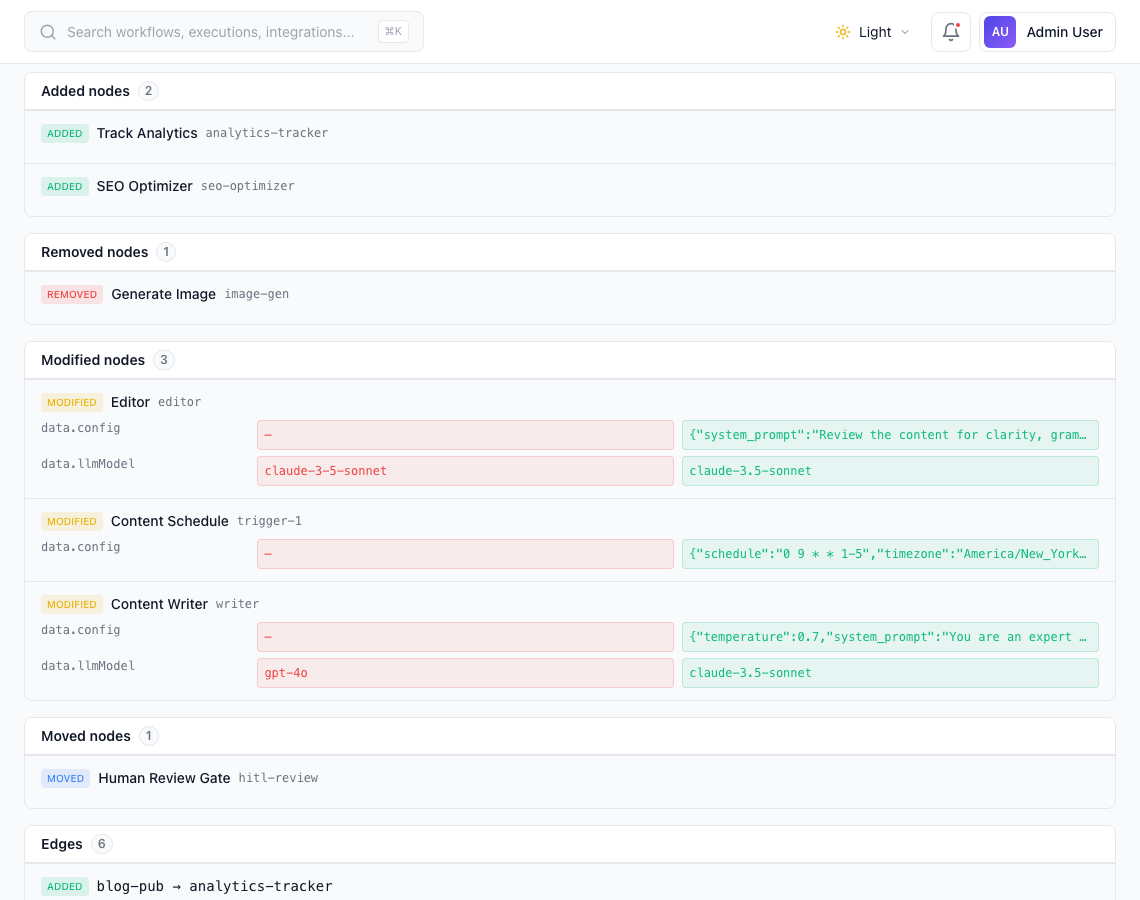
Property-level diffs - every field, every change
The properties lens breaks down changes by category: added nodes, removed nodes, modified nodes, edge changes, variable updates, and trigger modifications. Expand any node to see the exact before/after values for every changed field - model swaps, prompt rewrites, config updates, all shown in red and green.
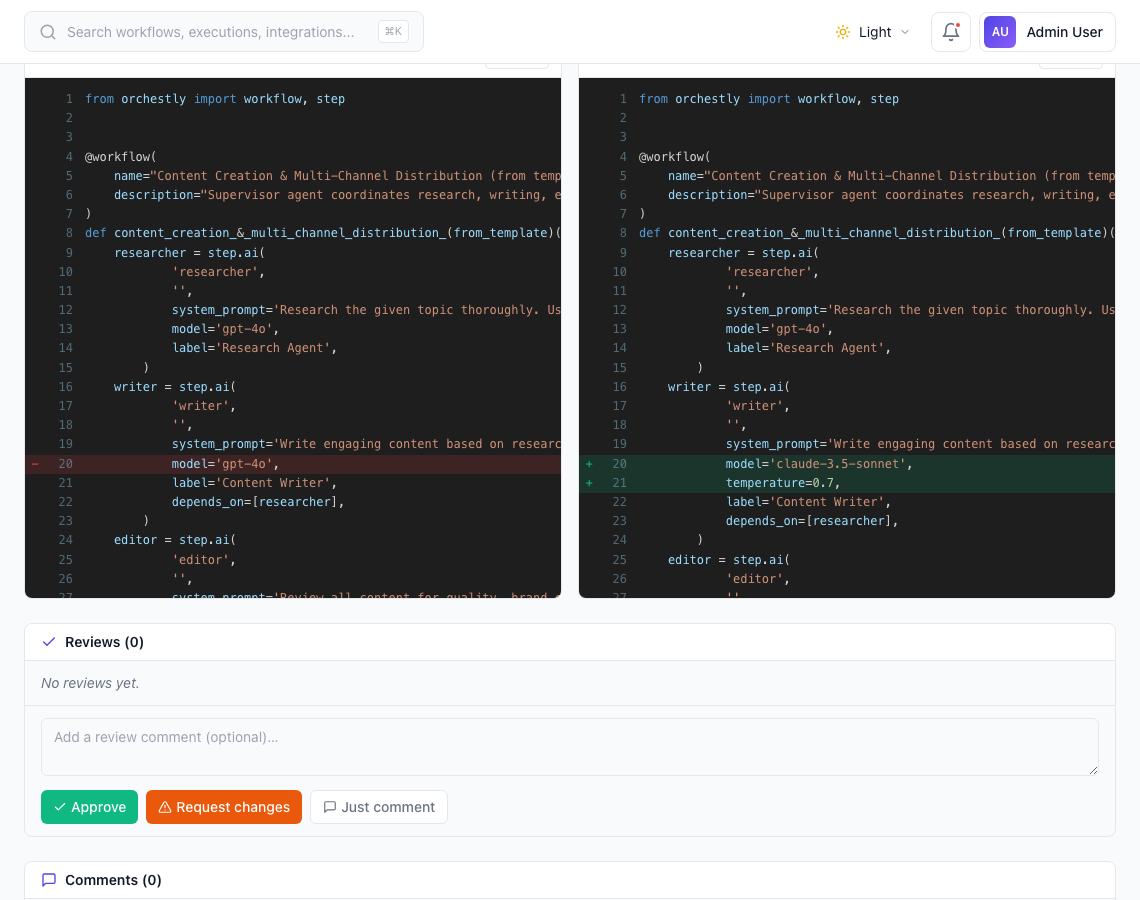
Code diff - review changes as Python, TypeScript, or Java
Workflows are decompiled into SDK code and shown as a traditional code diff with line-by-line annotations. Toggle between Python, TypeScript, and Java. Red lines show removed code, green lines show additions. Copy either version to your clipboard, or use it as a reference to reproduce the workflow in your own codebase.
Ready to try Change Control?
Start building with Orchestly today. No credit card required.