Visual Builder
Workflow Designer
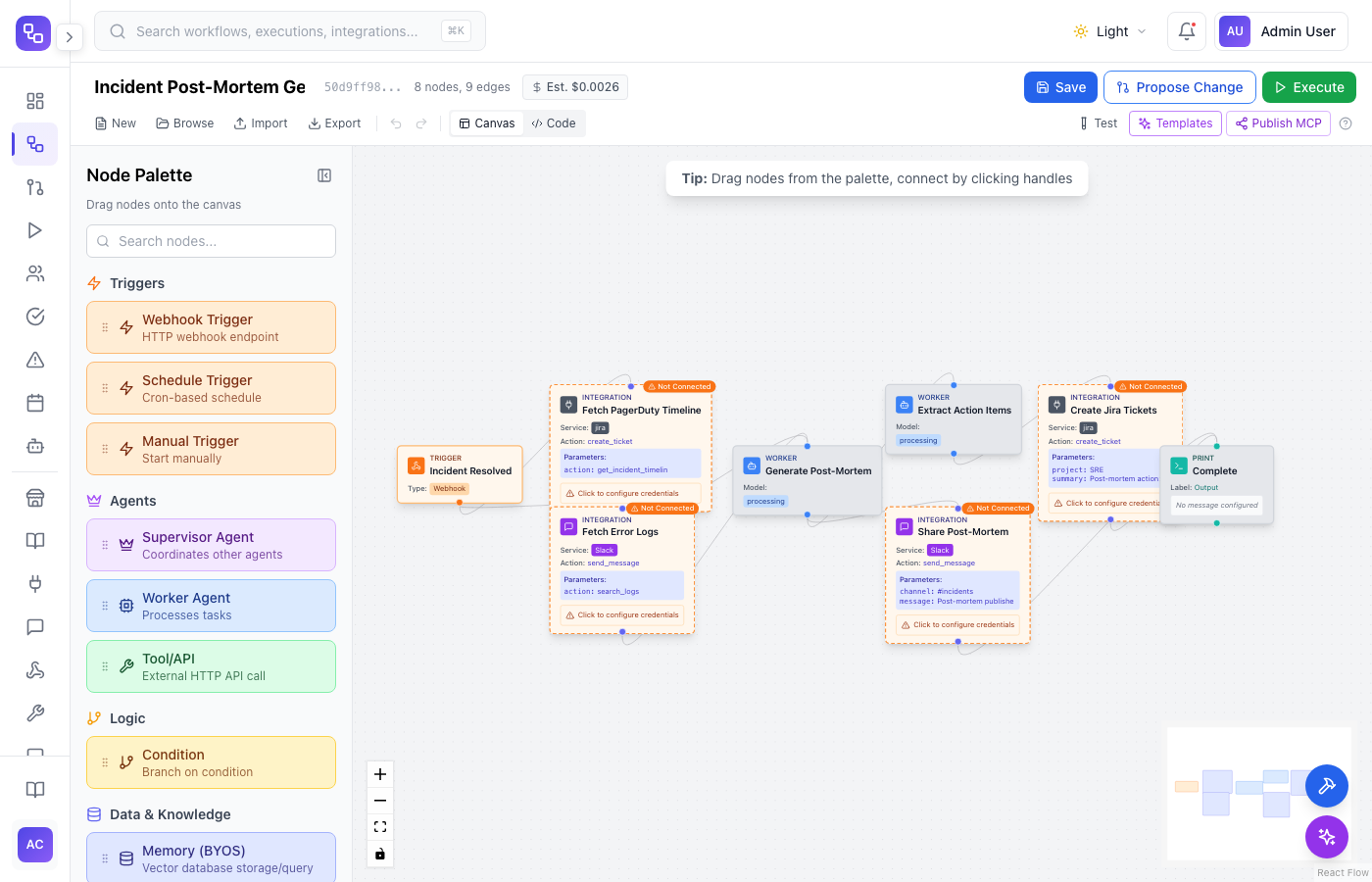
Three ways to build AI workflows: drag-and-drop on a visual canvas, write Python code with full SDK access, or describe what you want and let AI Copilot build it for you. All three stay in sync - switch between them anytime.
Key Capabilities
No-Code Visual Canvas
Anyone on your team can build workflows. Drag triggers, LLM calls, conditions, and integrations onto the canvas and connect them visually. No coding or engineering background required.
Full Python Code View
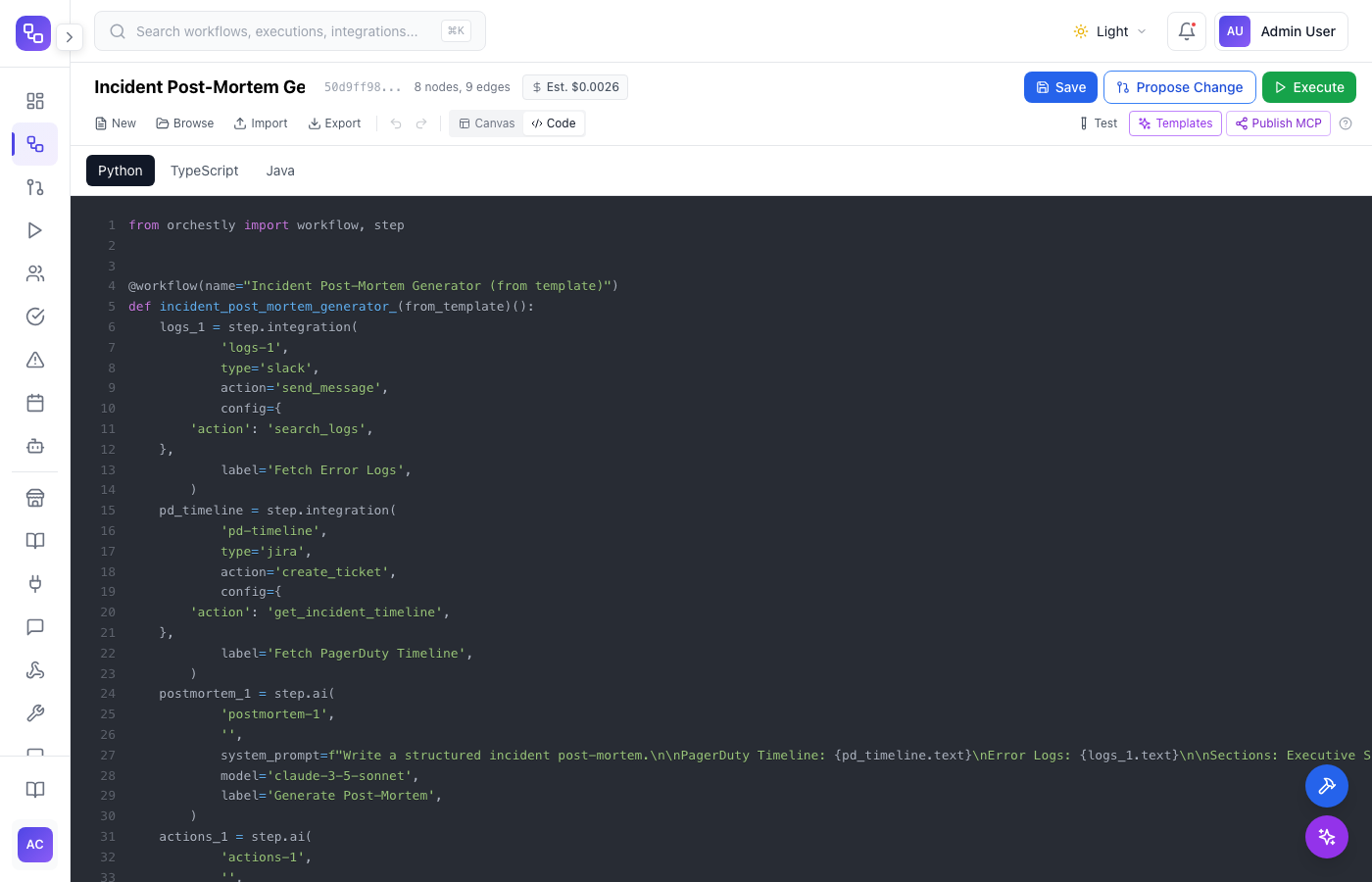
Switch to Python code view for full programmatic control. The code and canvas stay bidirectionally synced - edit in one, see changes in the other. Import, export, and version-control workflows as code files.
AI Copilot Builder
Describe what you want in plain English and AI Copilot builds the workflow for you. Refine iteratively - ask it to add steps, change routing logic, or swap models. Then edit the result in canvas or code.
DAG-Based Pipeline Engine
Model complex workflows as directed acyclic graphs. Support parallel execution, conditional branching, loops, and error handling out of the box. Fan-out to multiple LLMs and merge results.
Sub-Workflows & Reuse
Compose workflows from smaller building blocks. Create sub-workflows that can be shared, versioned, and reused across your organization. Nest up to 3 levels deep.
Test & Deploy from the Same Interface
Run your workflow with test data directly in the designer. Inspect every step, check outputs, and debug issues before deploying. One-click deploy to production when ready.
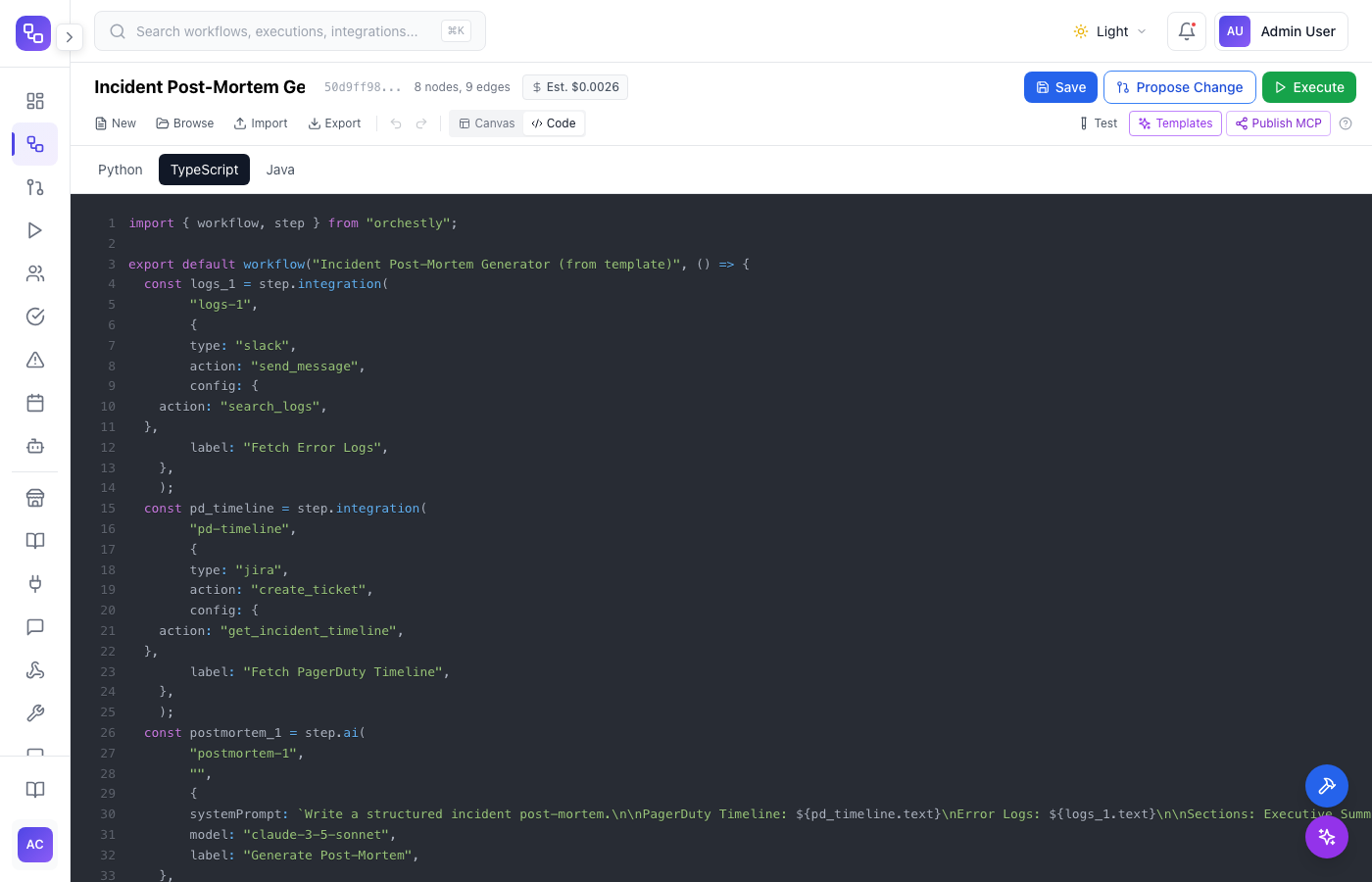
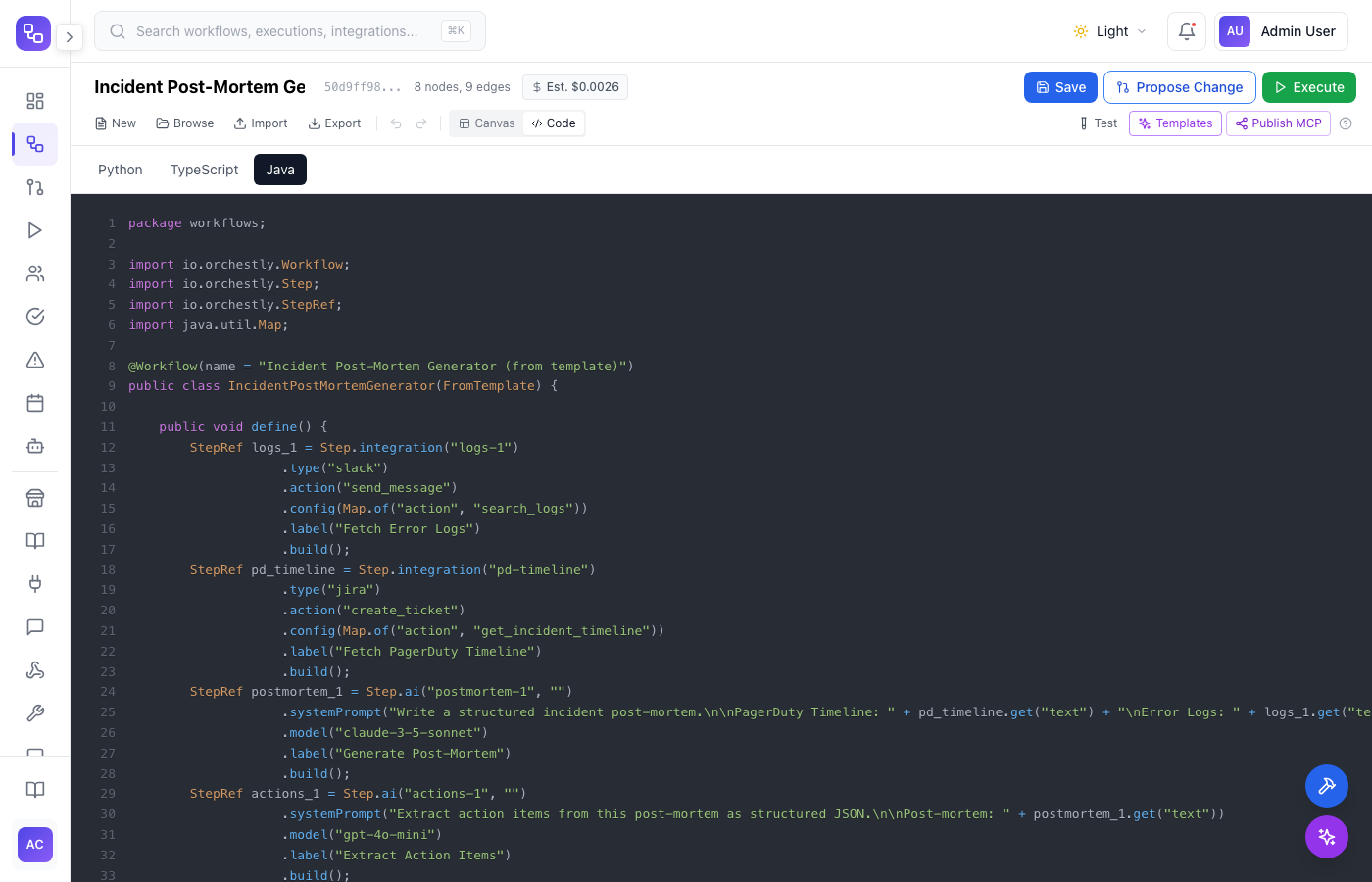
Write it in Python, TypeScript, or Java - see it on the canvas
The code view gives you full SDK access to define workflows programmatically in your language of choice. Every code change is reflected on the visual canvas in real-time. Engineers can use their preferred editor, commit workflow files to git, and run them in CI/CD pipelines - while the rest of the team follows along on the canvas.
Describe it, and AI Copilot builds it
Tell AI Copilot what you want in natural language. It generates a complete workflow with the right nodes, connections, and configurations. Ask follow-up questions to refine - add error handling, swap LLM providers, adjust routing logic. When you are happy, apply it to the canvas or export as code.
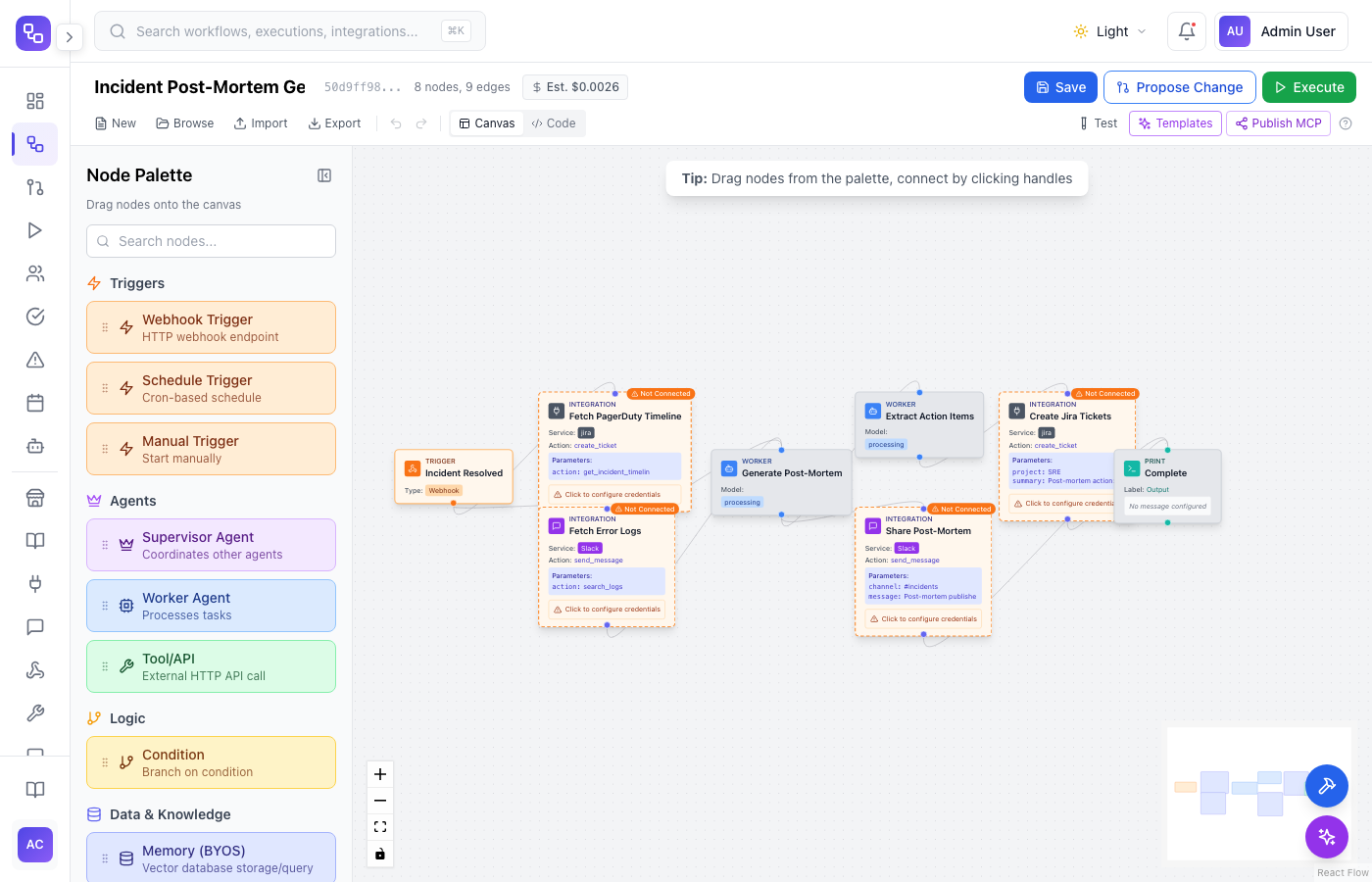
Build a workflow that runs after a PagerDuty incident resolves. It should fetch the incident timeline and error logs in parallel, use Claude to write a structured post-mortem, then extract action items and create Jira tickets while also sharing the post-mortem on Slack.
I created an 8-node pipeline with two parallel fan-outs. The trigger fetches PagerDuty timeline and error logs in parallel, merges them into Claude 3.5 Sonnet for a structured post-mortem (summary, impact, timeline, root cause, action items), then fans out again to extract action items as Jira tickets and share the post-mortem on Slack.
Add a severity check after the post-mortem. If it is a SEV-1, also page the VP of Engineering on Slack and create an executive summary with GPT-4.
Done. I added a condition node after the post-mortem that checks the severity field. SEV-1 incidents now trigger two additional steps in parallel: a Slack DM to the VP of Engineering with an executive summary generated by GPT-4, and an escalation tag on the Jira tickets. SEV-2 and below follow the original flow. The canvas has been updated.
From idea to production in minutes
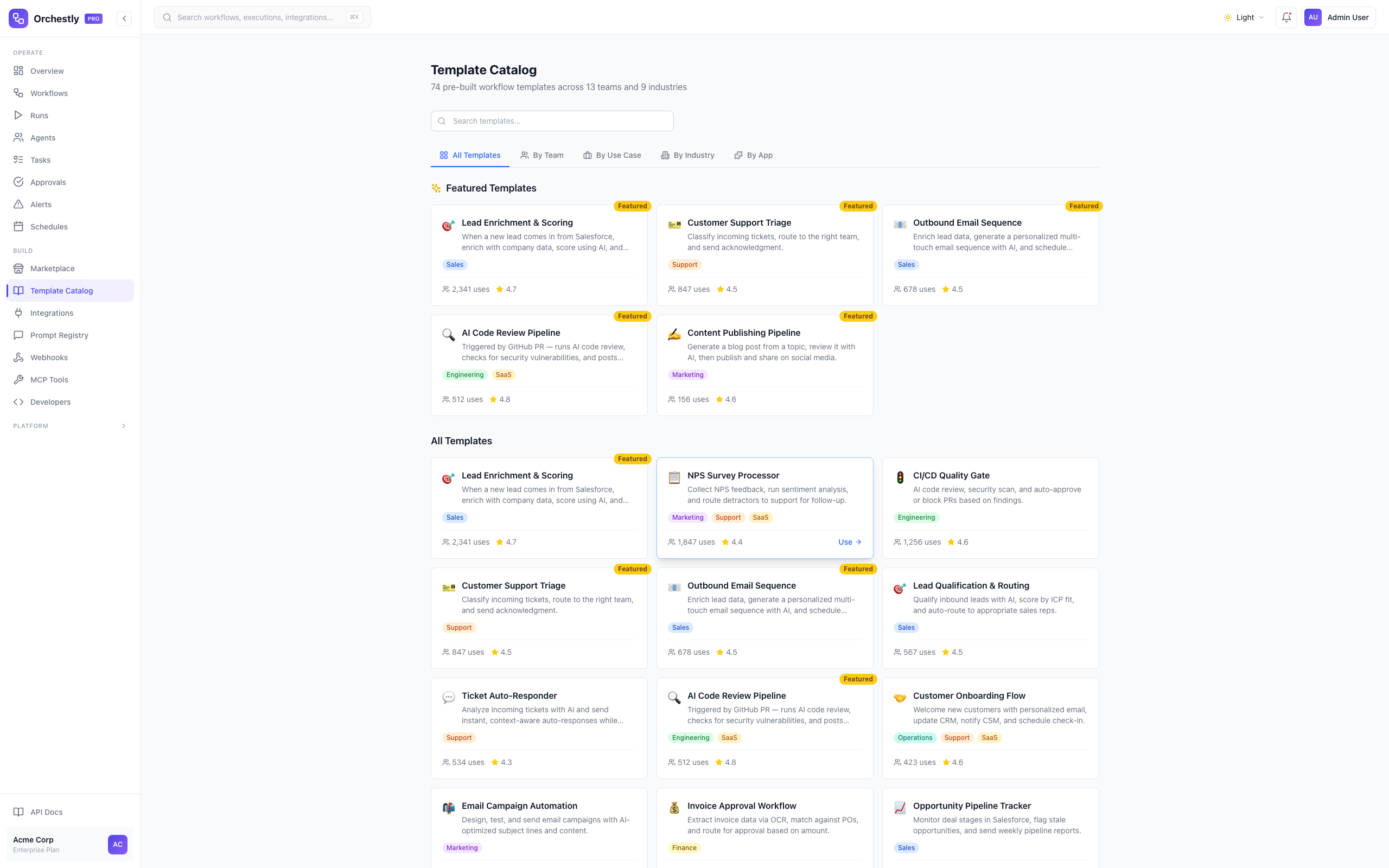
Start from a template, build from scratch on the canvas, write code, or describe it to AI Copilot. Test with real data in the designer. Deploy to production with one click. No context switching between tools - everything happens in the same interface.
Ready to try Workflow Designer?
Start building with Orchestly today. No credit card required.